To optimize content for Google Gemini, start with ordinary SEO. Make sure Google can crawl and index the page, answer the searcher’s real question early, back your claims with evidence, and add something only you can offer, such as first-hand experience or original data. Google says AI Overviews and AI Mode need no special optimization beyond those fundamentals, so most of the work is doing the basics well and checking it differently.
That “checking it differently” part is where this guide spends its time. You will see how to cover the related questions an AI system may ask on a user’s behalf, keep your brand facts consistent, and track visibility in Search Console’s new generative AI report. I have also separated what Google has confirmed from what practitioners suspect, so you can tell a sound fix from a hunch.
What does it mean to optimize content for Google Gemini?
Optimizing content for Google Gemini means making a page easy for Google’s systems to find, understand and trust, so it can be retrieved and linked in Gemini-powered answers. In practice that means sound SEO, direct answers, original insight, consistent brand information and supporting images or video.
There is no official “Gemini ranking checklist.” Google has not published one, and any article that lists exact Gemini ranking factors is guessing. What Google has published is guidance for AI features in Search and a guide to optimizing for generative AI search. Both point back to classic SEO.
Gemini optimization vs traditional SEO
The two overlap heavily. The difference is mostly in how you judge success and how you plan topics.
| Traditional SEO | Optimizing for Gemini and AI search | |
| Goal | Rank a page for a query | Be retrieved and linked inside a generated answer |
| How a query is handled | One query, one results page | One question can become several related searches |
| What you plan around | Keywords and intent | Intent, subtopics and the follow-up questions around it |
| Content format | Mostly text | Text plus images, video and tables |
| What you measure | Rankings, clicks | Impressions in AI features, clicks, brand searches |
Gemini SEO vs AEO vs GEO
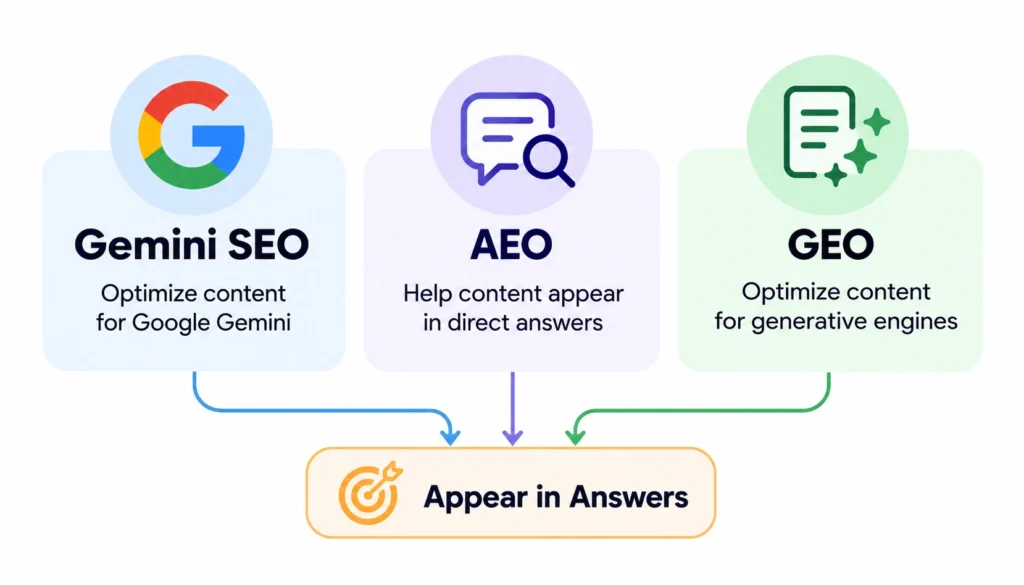
You will see three labels used almost the same way. Answer engine optimization (AEO) and generative engine optimization (GEO) both mean work that helps a page appear in answers. Wikipedia’s entry on GEO traces the term to a 2023 research paper, later presented at the KDD 2024 conference.
Google’s own view is blunt. From Search’s perspective, optimizing for generative AI search is optimizing for the search experience, which is still SEO. That is worth remembering when someone sells you a “GEO package.”
What you can and cannot control
You control your content, your site’s health, your structured data accuracy and your business information. You do not control which pages a model picks for an answer. Google also says that meeting all the requirements does not guarantee that your page will be crawled, indexed or served.
Where Google Gemini can surface your content
“Gemini” is the name of a family of models, and it sits behind several experiences. They do not behave the same way.
| Surface | What it is | What to focus on |
| Traditional Google Search | Ranked links and rich results | Standard SEO |
| AI Overviews | A generated summary above the results, shown only when Google thinks it adds something | Indexed, snippet-eligible pages with clear, useful answers |
| AI Mode | A conversational Search experience for multi-step questions and comparisons | Thorough coverage of a topic and its subtopics |
| Gemini app | A standalone chat assistant | The same fundamentals, plus accurate and consistent brand information |
AI Overviews launched in the US in May 2024 after first appearing as the Search Generative Experience. AI Mode began as a Search Labs test in March 2025. Google notes that the two may use models and techniques so the links each one shows will differ.
The Gemini app is the least documented of the four. Google’s published guidance covers AI Overviews and AI Mode, and I found no separate checklist for the app. One vendor study from Omnia reported that the Gemini app and AI Overviews share under 40% of their top cited domains. Treat that as a single, vendor-run data point, but it is a fair reminder not to assume one surface predicts another.
How Google’s AI search finds and understands content
You do not need to be an engineer to follow the mechanics. A rough understanding of how AI search engines work is enough to make better editing decisions.
Crawling and indexing: Googlebot discovers pages, reads them and saves them in the index. For a page to appear as a supporting link in AI Overviews or AI Mode Google says the page must be indexed and eligible to show in Search with a snippet. No extra technical rules exist beyond the ones.
Retrieval: Google describes its AI features as using retrieval-augmented generation (RAG). In English the model does not answer purely from memory. It pulls current pages from the Search index and builds a response from them. Wikipedia has a primer on RAG if you want the background.
Query fan-out: Google says both AI Overviews and AI Mode may run related searches at once across subtopics. Take the question “What’s the best laptop for video editing under $1,500?” A system might also look up GPU requirements, RAM needs, display color accuracy and battery life under load. A page that answers the headline question may miss the supporting searches.
Passages and meaning: Google’s systems can pull the part of a longer page and they understand synonyms and context. You do not have to repeat a phrase to be matched.
Entities and trust: An entity is a thing, such as a company, product, person or place. Clear consistent information about who you’re what you offer helps any system, human or machine connect the dots. That idea is practitioner advice rather than a published Google rule so I will flag it as such below.
10 ways to optimize content for Google Gemini
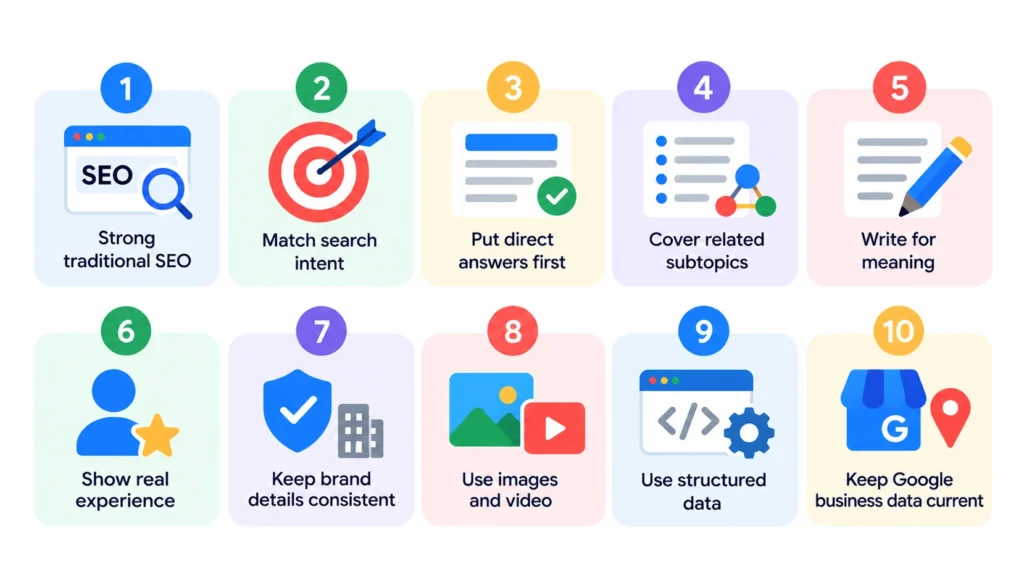
Here is the short list, in the order I would work through it:
- Start with strong traditional SEO.
- Match the search intent exactly.
- Put direct answers first.
- Cover the related subtopics.
- Write for meaning, not keyword density.
- Show real experience and expertise.
- Keep brand and entity details consistent.
- Support the text with images and video.
- Use structured data accurately.
- Keep your Google business data current.
1. Start with strong traditional SEO
Google’s guidance here is short and repeatable: AI features are built on core Search systems, so core SEO still applies. Check these first.
- Confirm the page is indexed. Search Console’s URL Inspection tool shows what Googlebot saw.
- Make sure robots.txt, your CDN and your hosting layer are not blocking Googlebot. A firewall rule that quietly blocks crawlers is more common than you would think.
- Keep important content in text. If your best answer lives inside an image or a script that fails to render, it may not be seen.
- Link to the page from related pages on your own site.
- Fix slow, cluttered or broken page experiences.
If a page fails any of these, no amount of clever AI-specific writing will help.
2. Match the search intent exactly
Before writing, decide what the person wants when they type the query. Are they learning, comparing, buying or fixing something? A page that mixes all four usually satisfies none.
Write down the question, the two or three questions that naturally follow and what the reader will do next. For example someone searching “how to choose an SEO tool” is likely to be comparing options on budget and features then trialing one. Your page should serve that path.
3. Put direct answers first
Lead each section with the answer, then explain. This helps readers, and it happens to suit featured snippets and AI summaries too.
- Use headings phrased like real questions where it fits.
- Give the answer in the first one or two sentences under the heading.
- Follow it with evidence, an example or a caveat.
Google’s guide says you do not need to chop content into tiny pieces for AI. Write clear sections for people, and let the systems find the relevant part.
4. Cover the related subtopics
This is how you apply query fan-out without gaming it. Take one main topic and list the questions a thoughtful buyer or learner would ask next.
Take “how to optimize content for Google Gemini” as the main topic. A reasonable map would include:
- How AI Overviews and AI Mode differ
- Whether schema markup helps
- How to measure AI visibility
- Whether AI-generated content is allowed
- How often to update content
Cover these on the page when they belong together or in linked supporting pages when each deserves depth. Google warns against making pages for every query variation just to manipulate results because that runs into its scaled content abuse policy. More pages do not make a site better.
5. Write for meaning, not keyword density
Modern systems understand synonyms and context so repeating a phrase adds nothing. Use the terms your audience actually uses, define ones and explain how concepts relate. A paragraph on AI Mode should naturally touch on query fan‑out and Search Console because that is how an expert would explain it.
6. Show real experience and expertise
Google’s guide says unique non‑commodity content probably influences your presence in generative AI search more than any other tip Google lists. A page that only restates what ten other pages say gives Google no reason to prefer you.
Here is what “non-commodity” looks like in practice:
- A named author with a real bio and relevant credentials
- Screenshots, test results or case notes from your own work
- Original data, even a small survey, with the method explained
- Sources for outside statistics, ideally primary ones
- A visible “last updated” date, kept honest
E-E-A-T (experience, expertise, authoritativeness, trustworthiness) comes from Google’s quality guidelines. Think of it as a way to judge your own content, not a score you can measure.
7. Keep brand and entity details consistent
This is practitioner advice, not a Google requirement. The logic is simple: if your company name, product names, service descriptions, locations and author details differ across your site, profiles and third‑party listings any system trying to summarize you has inputs.
Audit these places for matching facts:
- Your About page, footer and contact page
- Author pages and bylines
- Business and social profiles, including LinkedIn-style company pages
- Product and service descriptions across your site
- Directory and review-site listings
Google’s guide also says that chasing inauthentic mentions across the web is not as helpful as it seems. Fix real inconsistencies and earn real coverage. Do not manufacture it.
8. Support the text with images and video
Gemini models are natively multimodal meaning they work across text, images, audio and video. Google says its generative AI features can bring in images and video giving you more ways to appear than a text link.
- Write descriptive alt text that says what the image shows
- Add captions where they help the reader
- Use original diagrams and charts instead of stock photos
- Add transcripts or clear summaries for video
- Follow Google’s image and video best practices
9. Use structured data accurately
Google states there is no special schema.org markup you need for AI features and structured data is not required to appear in them. It is still worth using where it fits, such as Article, Organization, Product, LocalBusiness or breadcrumb markup because it supports results.
The rule that matters is that your markup must match the text on the page as Google’s structured data guidelines require. Think of schema as labeling not as a shortcut into AI answers.
10. Keep your Google business data current
For businesses and online stores Google says Merchant Center feeds and Business Profile details can help products and services appear in AI responses. Check hours, categories, product availability and pricing. Stale data is a way to lose a recommendation. Google explains how in its guide to business details, on Search.
How to optimize an existing article for Google Gemini
Updating a page that already has some traffic is usually faster than starting over. Work through it in this order.
- Audit the intent. Search your target query and read what Google shows. Does your page match the type of result?
- List unanswered questions. Use People Also Ask, your own customer emails and sales calls to find what your page skips.
- Map related topics and entities. Note the products, people, tools and concepts a knowledgeable writer would mention.
- Find fan-out gaps. Ask what comparisons, costs, limits and next steps a reader would need.
- Rewrite the weak sections. Replace filler with specifics.
- Add evidence and first-hand detail. Include your own tests, screenshots, quotes or data.
- Tighten headings and answers. Lead each section with its answer.
- Add internal links. Connect the page to related guides using descriptive anchor text.
- Check media and markup. Fix alt text, add useful visuals and validate structured data.
- Measure and set a review date. Record today’s impressions and clicks, then check again in six to eight weeks.
Before-and-after example of Gemini content optimization
The example below is illustrative. I made it up to show the pattern.
Say you run a software review site and have a 600-word page on the best project management tool for small agencies.
Before: “Looking for the best project management software? Our guide to the best project management software covers the best project management software for agencies. Project management software helps teams manage projects. Here are some top options.”
After: “For an agency of 5 to 15 people, the best project management tool is usually the one your team will actually update daily. We tried four tools over six weeks with a live client project and compared setup time, client sharing, time tracking and cost per seat. Here is how each one held up, including the problems we hit.”
| Element | Before | After |
| Intent | Vague | States who it is for and what decides the choice |
| Structure | Generic | Answer first, then comparison |
| Evidence | None | Names the test, the period and the criteria |
| Related topics | Missing | Costs, client sharing and time tracking covered |
| Experience | Absent | Describes a real trial, including problems |
Notice what did not change. The keyword is not repeated more often. The rewrite is better because it says something specific that a reader can use.
How to measure Google Gemini and AI search visibility
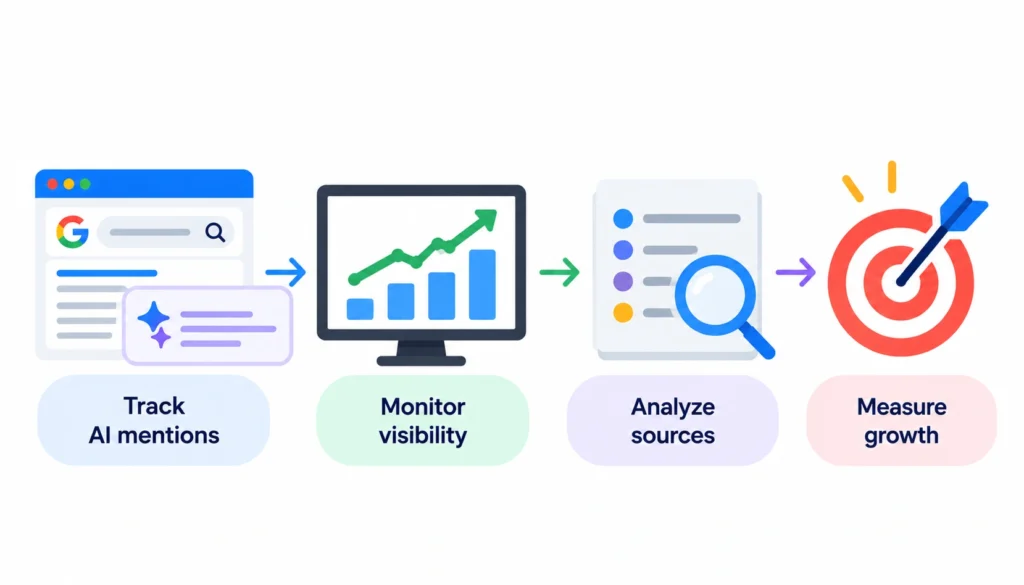
Measurement used to be the weak point of this whole topic. It is better now.
Google Search Console
Google’s Generative AI performance report covers AI Overviews and AI Mode on Google Search, and Google says it was rolled out to all websites worldwide as of August 31, 2026. It shows impressions, meaning how many times links to your site appeared in these features. You can break the data down by page, country, date and device, and filter by text-based or multimodal searches.
Two limits are worth knowing. The report shows impressions, so you still need the standard Performance report for clicks. It also does not list Gemini app activity. You may not see the report at all if your site has too few impressions in these features or if you have excluded the site from them.
Google Analytics
Use Analytics for what happens after the click: engagement, time on site and conversions. Google says clicks from pages with AI Overviews tend to be higher quality, meaning people spend more time on the site. Check whether that holds for your own audience rather than assuming it.
AI visibility tracking
For the Gemini app and other assistants, you are limited to manual checks or third-party tools. Run a fixed set of 15 to 30 real customer questions each month, and log whether your brand appears, whether you are cited, and whether the description is accurate.
Be skeptical of tool claims. Google states that no third-party tool has access to its internal ranking or AI systems, and offers guidance on evaluating third-party SEO advice.
Common Google Gemini optimization mistakes
- Repeating the target phrase instead of answering the question
- Publishing generic AI-written pages with no original input
- Skipping traditional SEO because “AI is different”
- Writing for a model and forgetting the human reader
- Making claims you cannot source
- Letting company and author details drift out of sync
- Ignoring images and video
- Leaving outdated numbers on the page
- Treating schema as a ranking hack
- Assuming a top organic ranking guarantees an AI citation, or the reverse
Google’s guide also lists several tactics you can safely skip for Search, including llms.txt files, special AI markup, chopping content into small chunks and rewriting pages purely for AI systems. Creating an llms.txt file will not hurt, but Google Search ignores it.
Google Gemini content optimization checklist
| Element | What to check | How to check it |
| Indexing | Page is indexed and snippet-eligible | URL Inspection in Search Console |
| Crawl access | Googlebot is not blocked by robots.txt or CDN rules | robots.txt tester, server logs |
| Intent | The page matches what the query is asking for | Compare to current top results |
| Direct answer | Each section opens with its answer | Read the first sentence under each heading |
| Coverage | Related questions are answered | Your subtopic map |
| Experience | Author, credentials, original detail present | Manual review |
| Sources | Statistics link to primary sources | Click every link |
| Brand facts | Names and descriptions match across profiles | Side-by-side audit |
| Media | Alt text, captions, useful visuals | Image audit |
| Structured data | Valid and matches visible text | Rich Results Test |
| Freshness | Facts and dates are current | Review date on calendar |
| Measurement | Baseline recorded | Search Console and Analytics |
Frequently asked questions about optimizing content for Google Gemini
1. How do I optimize content for Google Gemini?
Build on solid SEO, answer the main question early, cover related questions, add original experience, keep brand details consistent and measure results in Search Console. Google says no special optimization is required for AI Overviews or AI Mode.
2. Does traditional SEO still matter for Gemini?
Yes. Google says its generative AI features are rooted in core Search ranking and quality systems, and that a page must be indexed and snippet-eligible to be linked.
3. How does Gemini choose which content to use?
Google has not published a formula. For AI Overviews and AI Mode, it describes retrieving relevant pages from the Search index and using related searches to find more. For the Gemini app, there is less public detail.
4. Does schema markup help Gemini understand content?
It can help with rich results, but Google says no special schema is needed for AI features. Keep any markup accurate and matched to visible text.
5. Should I use conversational keywords?
Write the way your audience speaks, but do not force phrases in. Google says its systems understand synonyms and meaning, so you do not need every variation.
6. Can AI-generated content rank in Google?
Google allows it as long as the content meets its quality standards and spam policies. Mass-produced pages made mainly to manipulate rankings can violate its scaled content abuse policy.
7. How do I optimize for AI Overviews?
Follow the same steps as for any Search result: indexable pages, helpful answers, strong page experience and accurate business data. Google notes AI Overviews often do not trigger, so not every query will show one.
8. How do I optimize for Google AI Mode?
Cover a topic thoroughly, including the comparisons and follow-up questions a person would ask. AI Mode suits queries that need exploration, reasoning or comparison.
9. How can I measure Gemini visibility?
Use the Generative AI performance report for AI Overviews and AI Mode impressions, Analytics for engagement, and manual prompt checks for the Gemini app.
10. How often should I update content?
Update when facts change, not on a fixed schedule. For fast-moving topics, review quarterly and show an honest updated date.
Final thoughts
The most reliable way to optimize content for Google Gemini is to stop treating it as a separate discipline. Make your pages crawlable and indexable, answer the question people are really asking, cover the follow-up questions, and give models and readers something they cannot get from ten near-identical articles. Back it up with consistent brand information, useful media and honest sources.
Then measure what you can. Search Console now reports impressions from AI Overviews and AI Mode, and a simple monthly prompt check covers the rest. Pick one important page this week, work through the ten-step update above, and record a baseline before you change anything.

Nazish is a skilled content writer dedicated to creating high-quality, engaging, and SEO-focused blogs. She specializes in strategic keyword usage, search intent, and informative content that connects with readers while helping websites strengthen their visibility and rankings in search results.